September 4, 2026
A Practical Guide to Endpoint Threat Triage
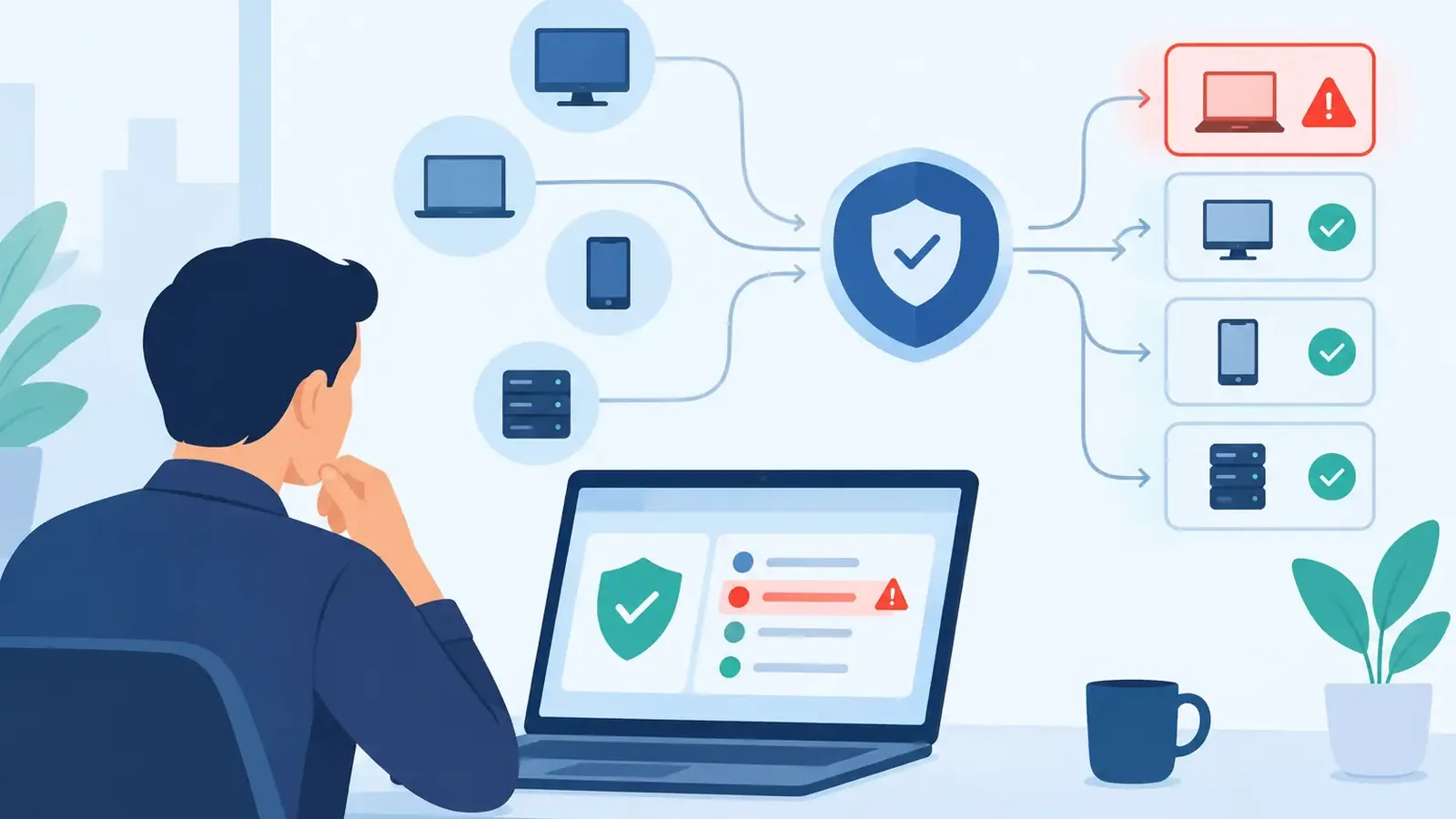
A suspicious alert at 2:17 a.m. is not a security outcome. It is a question: Is a real threat active on a business computer, and who is responsible for finding out? This guide to endpoint threat triage explains how that question should be answered before a minor issue becomes business disruption, data exposure, or a ransomware incident.
For small businesses, triage is where endpoint security either works or falls apart. Antivirus and endpoint detection tools can generate useful signals, but they do not automatically apply judgment, contact the right people, or confirm that a threat has been removed. Effective triage turns alerts into accountable action.
What Endpoint Threat Triage Actually Means
Endpoint threat triage is the process of reviewing suspicious activity on computers, determining whether it is benign or malicious, prioritizing the risk, and taking the appropriate response. An endpoint can be a Windows PC, Mac, laptop, server, or other device that accesses company systems and data.
The goal is not to treat every alert as an emergency. That would create unnecessary downtime and alert fatigue. The goal is to separate normal activity from true risk quickly enough to limit damage when it matters.
A good triage process answers practical questions:
- What happened on the device?
- Is the activity malicious, suspicious, or expected?
- Is the threat still active or has it spread?
- What should be contained immediately?
- What follow-up is needed to remove the cause and prevent a repeat?
Those questions sound simple. They are not always simple to answer. A legitimate IT tool can resemble attacker behavior. An employee may run an unfamiliar application for a valid reason. A harmless failed login can look different from a coordinated attempt to access an account. Context is what turns detection data into a decision.
Why Antivirus Alerts Are Not a Triage Process
Traditional antivirus remains useful, but it is not a full response capability. It is designed primarily to identify known malicious files and block obvious threats. Modern attacks often involve stolen credentials, remote access tools, malicious scripts, browser-based activity, and legitimate software used in harmful ways. These events may not look like a conventional virus.
Even when endpoint security software detects something suspicious, someone still needs to investigate. A business needs to know whether the alert is a false positive, whether the device should be isolated, whether other systems may be affected, and whether the issue was fully remediated.
Without a clear owner, alerts can sit unread in a dashboard or arrive as emails that nobody has the time or experience to assess. That is a common gap for organizations with no internal security operations center. The software may be installed, but nobody is actively watching it.
A Guide to Endpoint Threat Triage: The Core Workflow
A practical triage workflow should be repeatable, documented, and matched to the severity of the activity. The details will vary by environment, but the operating model should remain consistent.
1. Validate the alert
The first task is to determine whether the alert reflects a real event. This means reviewing the device, user, process, file, command activity, network connections, and timing around the detection. An investigator may compare the event against known business applications, IT maintenance windows, and expected user behavior.
Validation should be fast, but not careless. Closing an alert because it appears unfamiliar can miss an attack. Isolating a computer simply because an alert exists can interrupt work unnecessarily. The right response depends on the evidence and the potential impact.
2. Establish scope and severity
Once suspicious activity appears credible, the next question is how far it reaches. Is the activity limited to one workstation? Did it involve a privileged account? Has the same file, command, or network destination appeared on other devices?
Severity is not based only on technical details. A suspicious event on a front-desk computer may require a different response than the same event on a server holding customer records or financial data. The device’s role, the user’s access, and the presence of sensitive information all affect the priority.
A useful severity model considers four factors: evidence of malicious intent, whether the activity is active, the potential business impact, and signs of lateral movement. A confirmed ransomware process or active remote-control session requires immediate action. An isolated suspicious file that has already been blocked may allow for a more measured investigation.
3. Contain the threat without waiting for perfect certainty
Containment limits an attacker’s ability to continue operating. Depending on the event, this can include isolating a device from the network, terminating a malicious process, blocking a harmful file, disabling a compromised account, or preventing communication with a suspicious destination.
Speed matters here. If evidence shows active compromise, waiting for a complete root-cause analysis can give an attacker more time to steal data, deploy ransomware, or move to other systems. At the same time, containment should be coordinated with the business or its IT provider when practical. Taking a critical device offline can affect operations, so clear communication matters.
The best approach is not always to disconnect every device. Broad containment may be necessary in a widespread incident, but it can also cause avoidable disruption. Experienced triage balances the need to stop harm with the need to keep the business functioning.
4. Remediate the cause, not just the symptom
Removing a detected file is not enough if the attacker still has access. Remediation may include deleting persistence mechanisms, resetting compromised credentials, removing unauthorized remote access tools, closing exposed access paths, and patching vulnerable software.
This step often reveals why a managed response is different from an alerting product. A detection tells you something may be wrong. Remediation requires someone to investigate what changed, identify what must be removed or repaired, and verify the endpoint is safe to return to normal use.
Patch management has an important role here. Many incidents begin with known weaknesses in operating systems or common applications. Prompt patching reduces exposure, although it does not eliminate threats caused by phishing, stolen credentials, or unsafe software. Security requires layers, not a single control.
5. Verify, document, and follow through
After containment and remediation, the work is not finished. The endpoint should be checked for recurring activity, related indicators should be reviewed across the environment, and the incident record should explain what was found and what actions were taken.
Documentation matters for operational clarity and for cyber-insurance requirements. Business owners should not be left wondering whether an alert was handled. They need understandable communication: what happened, whether data or systems were affected, what was done, and whether any next steps are required from staff or IT.
Clear reporting also helps identify patterns. Repeated risky activity on the same device, frequent use of unauthorized tools, or recurring missed patches may indicate a broader issue that needs attention.
What Small Businesses Should Expect From Managed Triage
Small organizations should not have to build a 24/7 security team to receive real response. They should expect endpoint detections to be monitored, investigated by security professionals, and escalated appropriately when confirmed threats require action.
That model should complement existing IT support, not compete with it. An IT provider may manage help desk requests, Microsoft 365, networking, applications, backups, and user onboarding. Specialized endpoint security adds focused threat investigation and response when suspicious activity occurs.
PC Vax provides this type of managed endpoint protection by pairing endpoint detection with professional monitoring, investigation, containment, remediation, and incident follow-through. The point is straightforward: detection is only useful when someone responds.
Questions to Ask Before Relying on an Endpoint Security Service
When comparing endpoint protection options, ask who reviews alerts, how quickly suspicious activity is assessed, and who can take containment action. Ask whether the provider explains the incident in business terms and whether remediation is included or simply recommended.
Also ask how the service works with your current IT provider. A security provider that cannot coordinate with the people who manage your systems can create confusion during an incident. Clear responsibilities and communication paths should be established before a threat occurs.
Finally, consider the controls around the endpoint. Multi-factor authentication, reliable backups, security awareness training, and patch management all reduce the chances that an alert becomes a major event. Endpoint triage is a critical response layer, but it works best as part of a practical security foundation.
A business does not need to understand every detection detail. It does need confidence that when a computer behaves suspiciously, a qualified person is investigating, acting when needed, and staying with the issue until there is a clear answer.
PC Vax provides cybersecurity services, not insurance advice. Cyber insurance requirements vary by carrier, policy, and applicant, and PC Vax does not guarantee insurance eligibility, approval, coverage, or premiums.
Professional Cybersecurity. Made Simple.