August 31, 2026
Security Monitoring Versus IT Helpdesk Roles
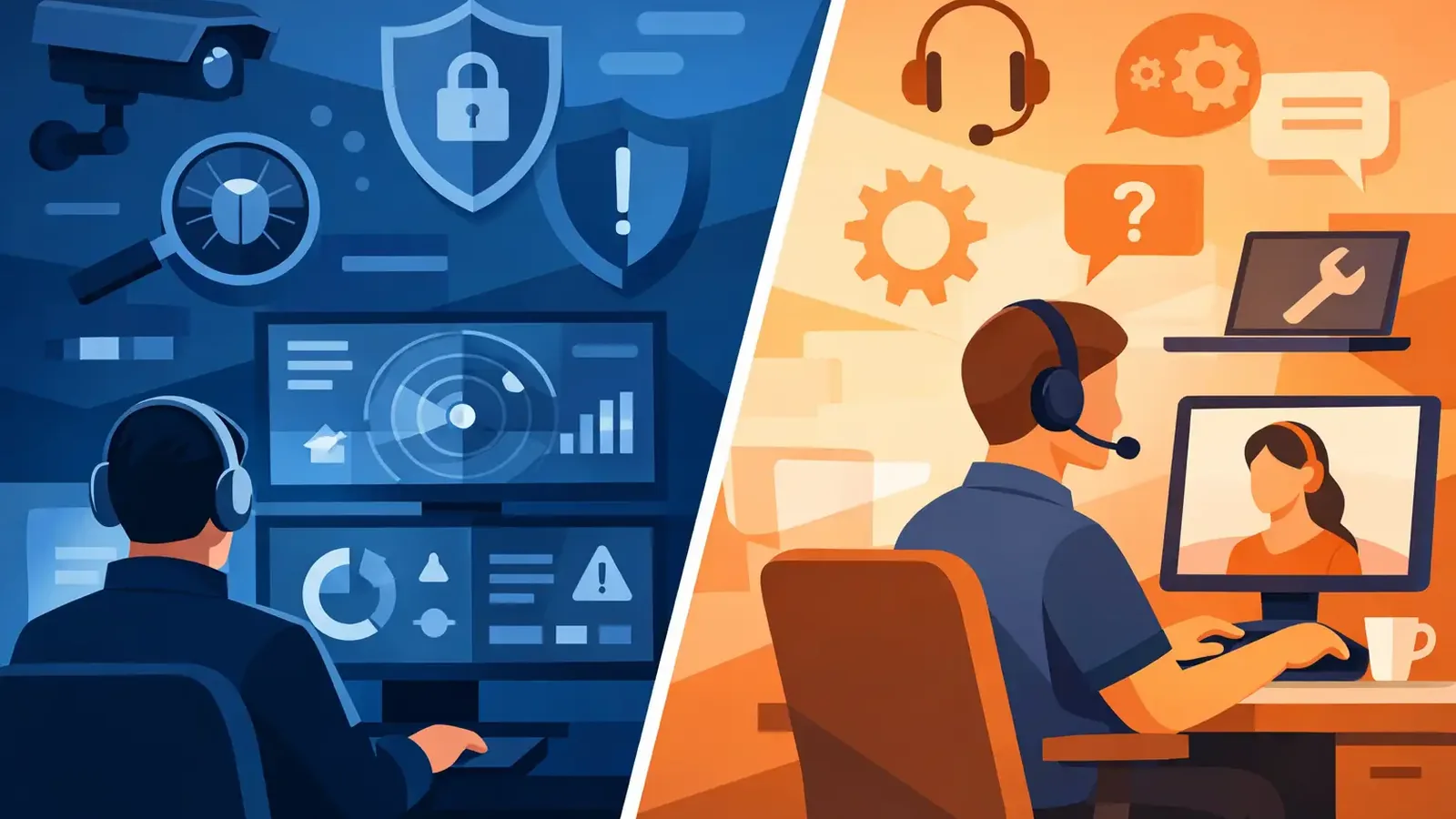
A suspicious PowerShell command runs on an employee laptop at 2:13 a.m. By morning, the employee may not notice anything unusual. The computer still turns on. Email still works. But the difference between security monitoring versus IT helpdesk becomes very real in that moment: one service is built to investigate and contain a possible attack, while the other is built to keep people productive with their technology.
Small businesses often assume their IT support covers all security needs. Sometimes it does, especially when the provider offers a true managed security operation. Often, though, daily IT support and active threat monitoring are separate responsibilities. Knowing the difference helps you close a gap that attackers are happy to find.
Security Monitoring Versus IT Helpdesk: The Core Difference
An IT helpdesk helps people use technology. Security monitoring watches for signs that technology is being misused, compromised, or attacked.
Helpdesk work is usually initiated by a user or a known business need. Someone cannot print, needs a password reset, has a slow computer, needs access to an application, or is setting up a new employee. The IT team diagnoses the issue, makes the necessary changes, and gets the person back to work.
Security monitoring works differently. It is driven by signals from endpoints, identity systems, and security tools. A detection may appear because a device attempted to run ransomware-like behavior, a user account showed unusual login activity, or an attacker tried to establish persistence on a computer. Nobody needs to call first. In fact, the point is to act before a user realizes there is a problem.
Both functions matter. But they have different goals, different urgency, and different measures of success. A helpdesk aims to restore normal operations. Security monitoring aims to prevent a suspicious event from becoming a business disruption, data breach, or insurance claim.
What an IT Helpdesk Is Designed to Handle
A capable IT helpdesk is essential for a small business. It keeps the daily environment usable and organized. That can include device setup, Microsoft 365 administration, email troubleshooting, network and Wi-Fi issues, printer support, line-of-business application support, user access changes, backups, and hardware replacement.
These are operational responsibilities. Your IT provider knows your environment, your users, and the practical constraints of your business. They can help an employee regain access to a shared file, configure a new laptop, or troubleshoot why an application is not connecting.
Many IT providers also perform valuable preventive security work. They may configure multifactor authentication, manage backups, apply patches, set permissions, and recommend safer technology practices. Those controls reduce risk considerably.
However, preventive IT maintenance is not the same as having someone continuously assess whether an active threat is underway. Installing security software, for example, does not guarantee that every alert receives expert attention. A busy helpdesk technician may be handling a queue of user requests when a high-risk detection arrives. That is not a criticism of the helpdesk model. It is a reason to define who owns the security response.
What Active Security Monitoring Adds
Security monitoring starts with endpoint detection and response software, but software is only part of the service. The critical question is what happens after the software identifies suspicious activity.
A professionally operated monitoring service reviews detections, separates likely threats from harmless activity, investigates what occurred, and takes action when a threat is confirmed. Depending on the event, that can mean isolating a device, stopping malicious processes, removing persistence mechanisms, reviewing the scope of the incident, and coordinating next steps with the customer and IT provider.
This work requires a different rhythm than ordinary IT support. Threats do not wait for office hours or a ticket to be submitted. A real security operation needs clear ownership, reliable escalation, and follow-through until the incident is resolved.
Consider two common examples. If an employee calls because their laptop cannot connect to the office Wi-Fi, that belongs with the helpdesk. If an endpoint tool detects an attacker using remote access tools, credential dumping techniques, or suspicious scripts, that requires a security investigation.
There can be overlap. A security team may contain a compromised device, while the IT provider rebuilds it, restores files, or helps the employee return to work. The best outcome comes when each team understands its role and communicates clearly.
Why Antivirus Alerts Can Create a False Sense of Coverage
Traditional antivirus remains useful, but it is not a complete security plan. It is designed to identify known malicious files and behaviors. Modern attacks often use legitimate tools, stolen credentials, scripts, and techniques that do not look like a simple virus.
Endpoint detection and response provides more visibility into suspicious behavior. Yet detection alone is still not protection. If an alert sits unread, is dismissed without investigation, or is routed to someone without the time or specialized context to analyze it, the business may still be exposed.
This is where small organizations can get caught between expectations. The owner assumes the antivirus vendor is watching. The IT provider assumes the security product handles its own alerts. The product generates a detection but cannot make every business decision or perform every remediation step on its own.
Accountability removes that ambiguity. Someone should be able to answer direct questions: Who reviews alerts? Who decides whether the activity is malicious? Who isolates a device if needed? Who communicates with our IT provider? Who confirms the threat is gone?
Do You Need Both Services?
For most small businesses, the answer is yes, but the exact arrangement depends on what your current IT provider delivers.
If your IT provider has a staffed security team that actively monitors endpoints around the clock, investigates detections, and manages incident response, additional monitoring may be unnecessary. Ask for specifics rather than relying on broad terms like managed security. Find out whether the service includes 24/7 human review, containment authority, remediation, reporting, and a defined response process.
If your provider mainly handles user support and general technology management, dedicated security monitoring can fill a meaningful gap without replacing them. Your helpdesk remains responsible for everyday IT. The security team takes responsibility for detecting, investigating, and responding to endpoint threats.
That separation can be especially practical for businesses that already like their IT provider. You do not need to replace a trusted partner to add a stronger security layer. PC Vax is designed around this model, pairing Huntress-powered managed EDR with continuous monitoring, professional investigation, containment, remediation, and incident follow-through.
How the Two Teams Should Work Together
The division of responsibility should be documented before an incident occurs. Security monitoring should have a clear process for contacting the right people, isolating devices when necessary, and sharing incident details. IT support should know how it will assist with recovery, device rebuilds, password resets, application access, and business continuity.
For example, a security team may identify malware activity and isolate the affected computer to limit spread. That action can temporarily interrupt the employee’s work, but it protects the broader business. The IT helpdesk can then provide a replacement device, restore required files, and help the employee resume normal work once the endpoint is cleared or rebuilt.
This is also why patch management belongs in the conversation. Patching does not replace threat monitoring, and monitoring does not eliminate the need to patch. Unpatched operating systems and applications give attackers more opportunities. Managed patching reduces known exposure, while monitoring helps catch suspicious activity that gets through other controls.
Questions to Ask Before You Rely on IT Support for Security
Do not settle for a vague assurance that security is covered. Ask whether alerts are reviewed by people, whether review happens outside business hours, and what the escalation timeline looks like. Ask who can isolate an infected device and whether remediation is included or billed separately.
You should also ask what reporting you receive. Clear reporting helps demonstrate that security controls are operating, which is useful for leadership decisions and cyber-insurance applications or renewals. It should show more than a list of software licenses. It should provide evidence that threats were monitored, investigated, and addressed.
Finally, confirm how your provider handles shared responsibility. A good answer is specific. It identifies what the security team owns, what the IT provider owns, and who communicates with your business during an incident.
The goal is not to turn every small business into a security operations center. It is to make sure that when a suspicious event appears at 2:13 a.m., a real person has the responsibility, authority, and process to act before it becomes tomorrow morning’s emergency.
PC Vax provides cybersecurity services, not insurance advice. Cyber insurance requirements vary by carrier, policy, and applicant, and PC Vax does not guarantee insurance eligibility, approval, coverage, or premiums.
Professional Cybersecurity. Made Simple.